
Studio
Studio reads the flights you have already flown in Lothal. It lists the flights you recorded in Sim with R, and shows what each file contains.
Studio reads Lothal’s own flight logs only. It does not open Betaflight or INAV blackbox logs. For those, see Reading real flight logs.
Where it is
Section titled “Where it is”Click Rooms in the top bar, then Studio — flights already flown. Click Lab to go back.
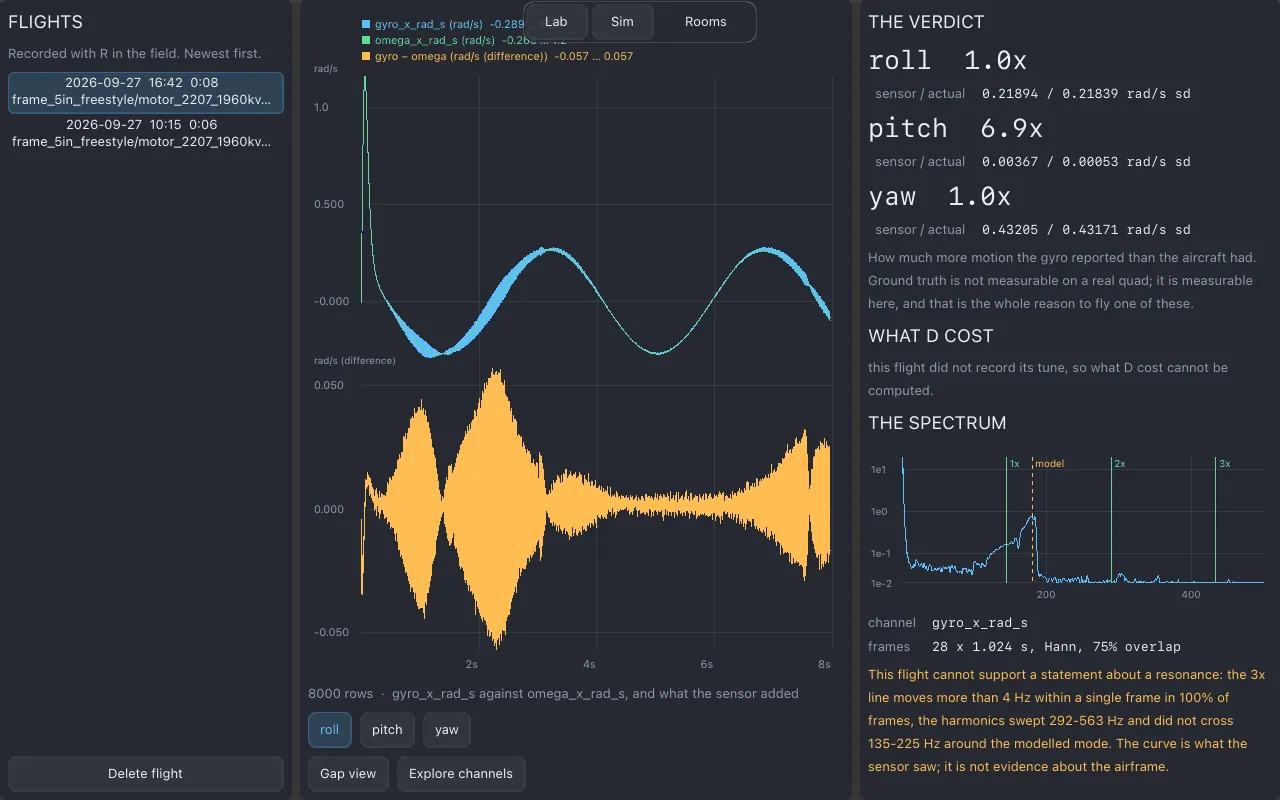
The flights list
Section titled “The flights list”FLIGHTS lists every recording, newest first. With none it says No flights recorded yet. Select a flight to open it.
Delete flight deletes the selected recording. This removes the file itself; it does not go to a trash folder.
What the file says
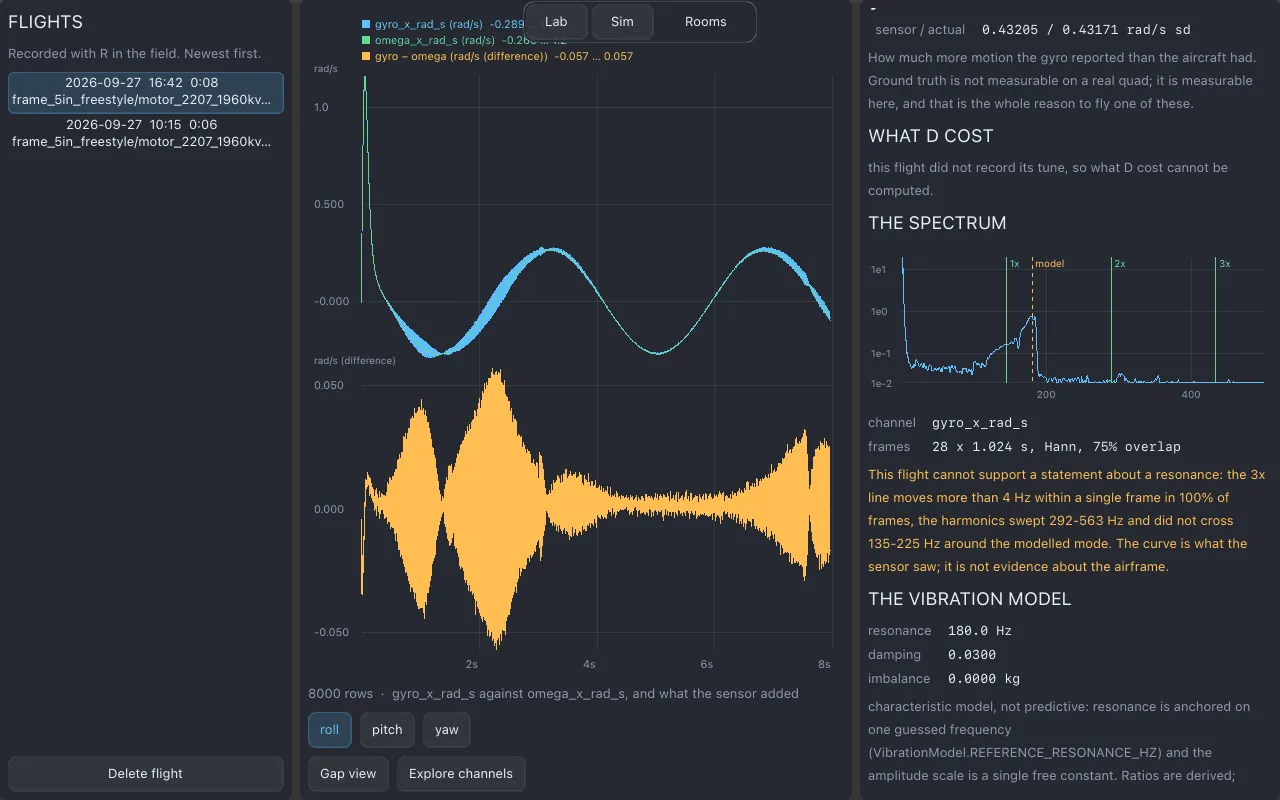
Section titled “What the file says”▸ WHAT THE FILE SAYS shows the recording’s header as it was written: the aircraft that flew (an identifier for the build, its arm length, mass and propeller), how the parts were fitted, the vibration model’s figures, the gyro and the tune, the sample rate, how long it ran, and how many crash restarts it contains. Studio displays these fields as text. It never turns a log back into a drone. To fly the same build again, pick its parts in Lab.
Gap view
Section titled “Gap view”Gap view is the first thing Studio shows, and the reason it exists. It plots, for one axis (choose roll, pitch or yaw), the rotation rate the gyro measured against the rate the physics model says the aircraft actually had, and the difference between them: what the sensor added. No real drone can show you this about itself, because a real drone has no perfect model of its own motion to compare with.
If a log has no gyro and model pair to compare, Studio says so.
Explore channels
Section titled “Explore channels”Explore channels lets you pick any channels in the log and plot them against time.
- Type in Filter channels to narrow the list.
- Up to six channels at a time, in up to three different units. Studio tells you when you have reached either limit.
Spectrum
Section titled “Spectrum”The spectrum shows which frequencies are in the flight’s gyro signal. Use it to see where vibration sits. It is shown when the flight has one; otherwise Studio says there is no spectrum for this flight.
What Studio does not do
Section titled “What Studio does not do”- It writes nothing except deleting a flight you ask it to delete. It never changes a drone, a tune, a course or a pack.
- It does not name a frame’s resonance peak for you.
- It does not import blackbox logs from real flight controllers.
Related
Section titled “Related”- Flying in Sim
- File formats: the flight-log CSV
- Lab and Sim
Documentation licensed underCC BY 4.0. Lothal itself is GPL-3.0-or-later.Report a problem.Roadmap.