
Power
Power is every ampere from the cell to the motor lead: the battery that stores it, the ESC that passes it to the motors, and the wires and plug in between.
Where it is
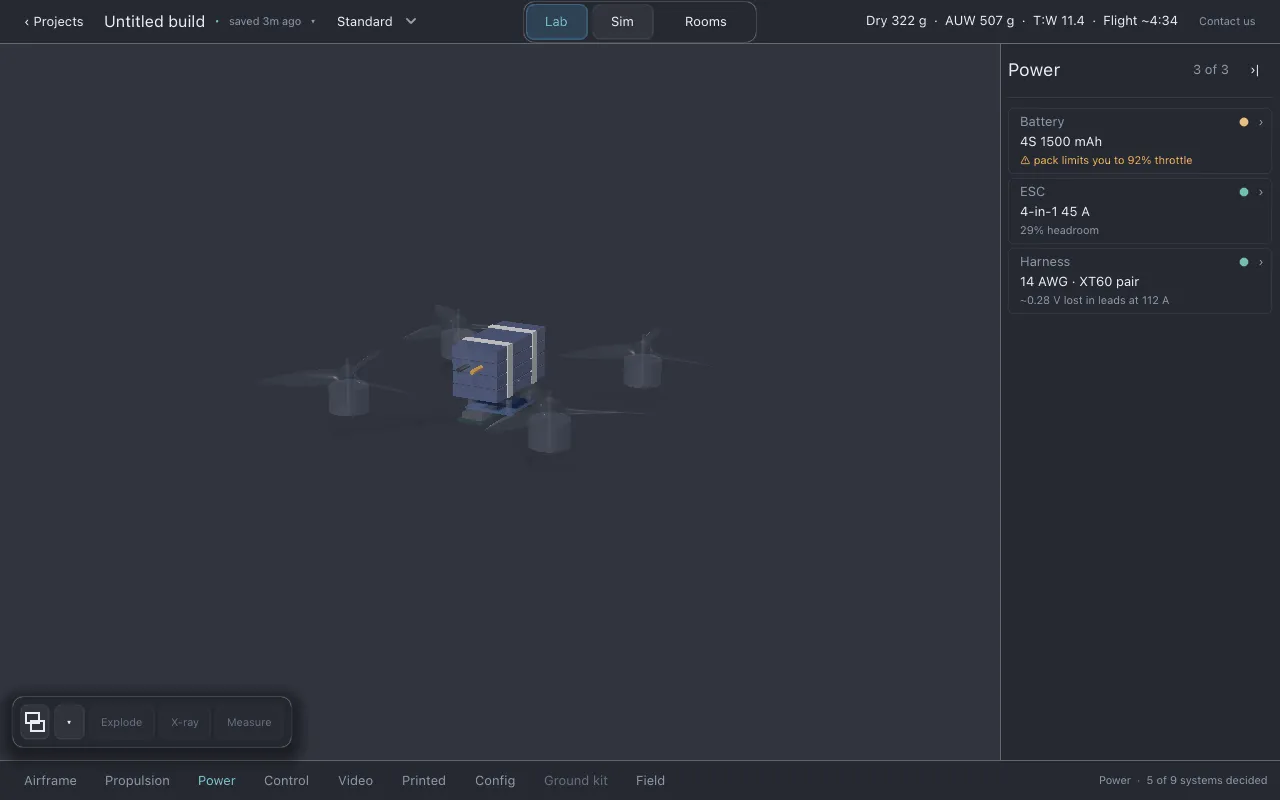
Section titled “Where it is”Click Power in the section row. The list shows Battery, ESC and Harness.
Battery
Section titled “Battery”- Line 2: cell count and capacity, for example
6S 1300 mAh. - Line 3: estimated flight time, in the form
~4:30 flight, or the battery’s warning. When the pack cannot supply the current the motors ask for, that warning is on this row. - Choosing a pack: click line 2 to open the part finder.
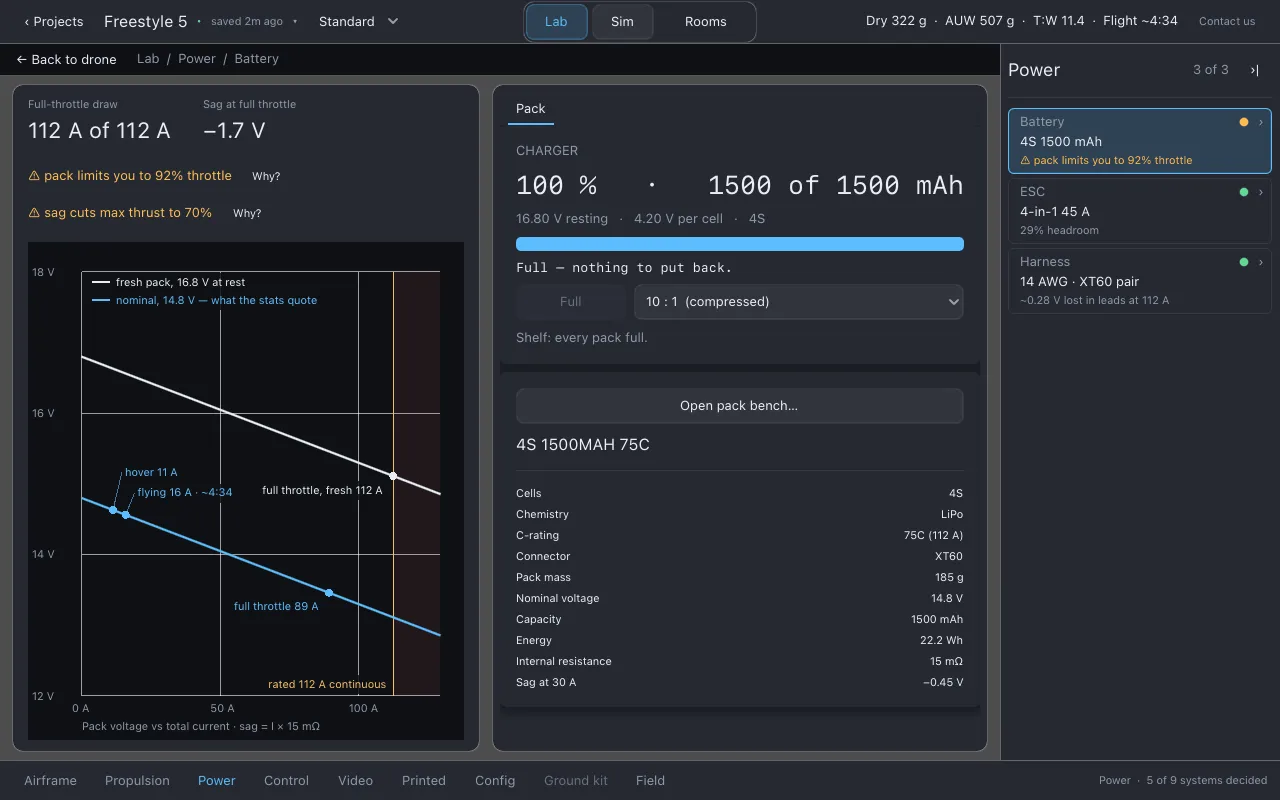
- The page shows Full-throttle draw (the current at full throttle on a fresh pack, against what the pack is rated for) and Sag at full throttle (how many volts the pack loses under that load), with a chart of the sag.
The charger
Section titled “The charger”At the top of the Pack sheet is the Charger. It shows how full the selected pack is (percent and mAh), its resting voltage, its voltage per cell, and how long it would take to fill.
- Charge starts charging; Stop stops. A full pack says Full.
- The speed menu sets how fast charging runs: 10 : 1 (compressed) or 1 : 1 (real time). Flying and bench runs always drain at 1 : 1. Charging is compressed by default, because waiting 45 minutes teaches nothing that waiting four does not. The panel shows both times, so nothing is hidden.
Charge carries over. Each pack remembers its charge. A flight in Sim, and a run on any bench, uses charge, and the next flight starts where the last one ended. Crashing does not refill the pack.
The Pack sheet
Section titled “The Pack sheet”Cells, chemistry, connector, mass, nominal voltage, capacity, Energy in watt-hours (which compares packs of different cell counts better than mAh), Internal resistance, and Sag at 30 A. Open pack bench… runs a load test on this pack. See Benches.
The ESC (electronic speed controller) takes the pack’s current and drives the four motors.
- Line 2: board type and continuous rating per motor, for example
4-in-1 55 A. - Line 3: headroom, in the form
NN% headroom: how much current each channel has to spare at full throttle. - Choosing an ESC: click line 2, or switch the finder to ESC.
- The page shows Headroom per channel and Motors’ max per channel against the rating, and a drawing of one ESC channel.
The ESC sheet splits in two. The top half is the board: type, cells, protocol, mass, mount, and continuous and burst ratings per motor. The bottom half is what it means for this build: Passes in total and Limited by, which names whether the ESC or something else (the pack, the motors) caps the drone. Open ESC bench… tests the ESC against the motors you have chosen. See Benches.
Harness
Section titled “Harness”The harness is the wiring: the pack connector, the main lead, the capacitor across the ESC’s input, and the four motor leads.
- Line 2: main lead gauge and connector, for example
12 AWG · XT60. - Line 3: the voltage lost in the leads at full throttle, in the form
~0.NN V lost in leads at NN A. It is an estimate because lead lengths start at typical values for the frame size. - The page shows Lead drop, full throttle and Harness mass, with the harness schematic (read-only) and the Harness sheet: connector, capacitor and harness mass.
The harness designer
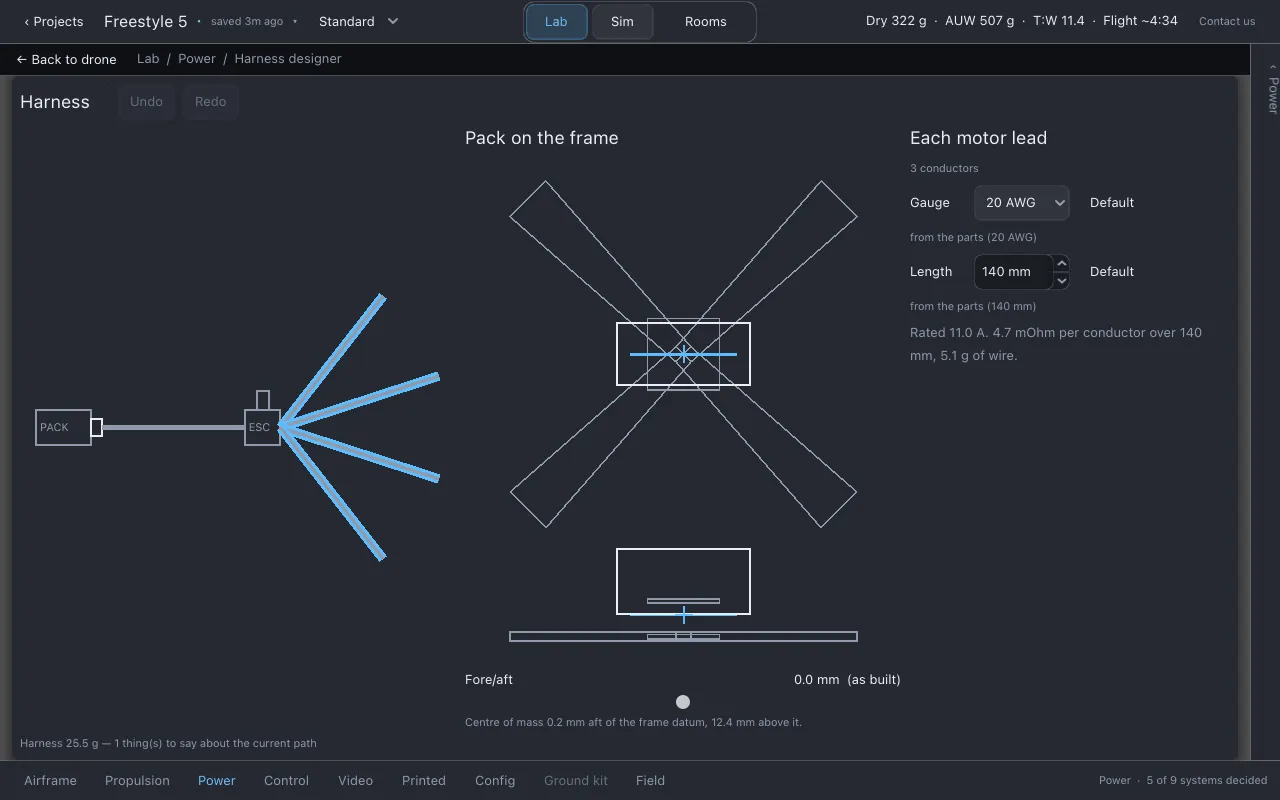
Section titled “The harness designer”Open harness designer… on the Harness sheet opens it. Close it with Close harness designer in the top bar.
- The schematic draws the current path: pack, connector, main lead, the ESC’s input pads with the capacitor across them, and the four motor leads. Each wire is drawn at its real gauge as a line width and its real length as a length.
- Select a segment to edit its Gauge and Length. Default / Use default puts a value back to the one that follows the parts.
- Undo and Redo: Ctrl+Z and Ctrl+Shift+Z (Cmd on macOS).
- Pack on the frame shows the pack in plan and side view with the centre of mass marked. The Fore/aft slider moves the pack along its strap and shows where the centre of mass lands.
What to watch for
Section titled “What to watch for”- Battery: pack sag,
custom pack — unchecked, and plausibility checks on the pack’s figures. The current-limit warning when the pack is what runs out. - ESC: stack mount mismatches,
burst rating below continuous,rating may be whole-board(a rating that may be for the whole board rather than per motor),custom ESC — unchecked. - Harness: a lead too thin for its current, the voltage lost in the leads, the connector’s
rating, a connector that does not match the pack’s, and
capacitor advised.
Honest limits
Section titled “Honest limits”- Lead lengths start from typical values for the frame size, and the connector’s resistance is
estimated, so the lead drop is an estimate (
~). - A custom pack’s figures are only what you typed.
- Charging speed in the app is compressed by default; the real charge time is shown beside it.
Related
Section titled “Related”- Benches: pack bench and ESC bench
- Flying in Sim: the HUD’s pack line
- Guessed, sourced and measured
Documentation licensed underCC BY 4.0. Lothal itself is GPL-3.0-or-later.Report a problem.Roadmap.