
Config
Config is what you will set on the real flight controller, in its configurator, once the drone is built: which way the motors turn, which serial ports are used, what happens when the radio link drops, and how fast the drone rotates at full stick. It ends in a sheet you take to the bench.
Where it is
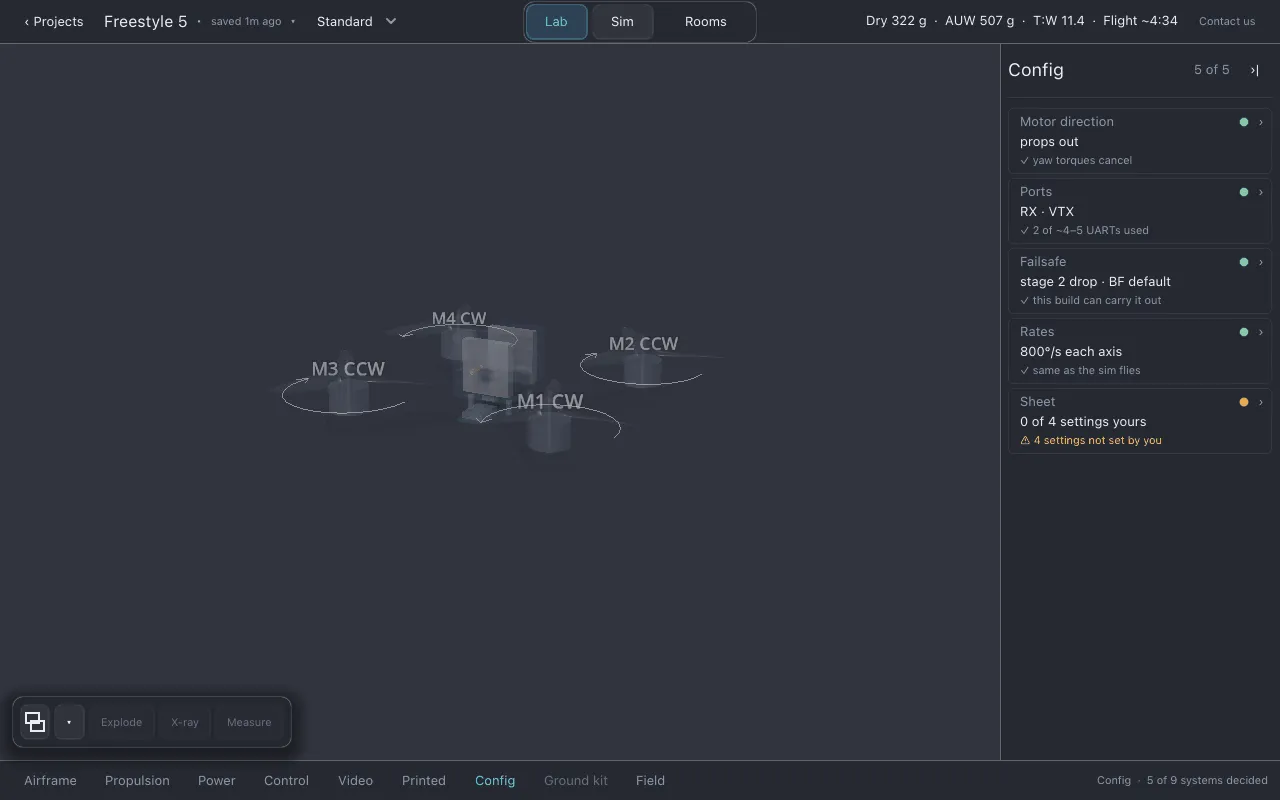
Section titled “Where it is”Click Config in the section row. The list shows Motor direction, Ports,
Failsafe, Rates and Sheet. Each row’s third line is a ✓ and the check that passed,
or the row’s warning.
Motor direction
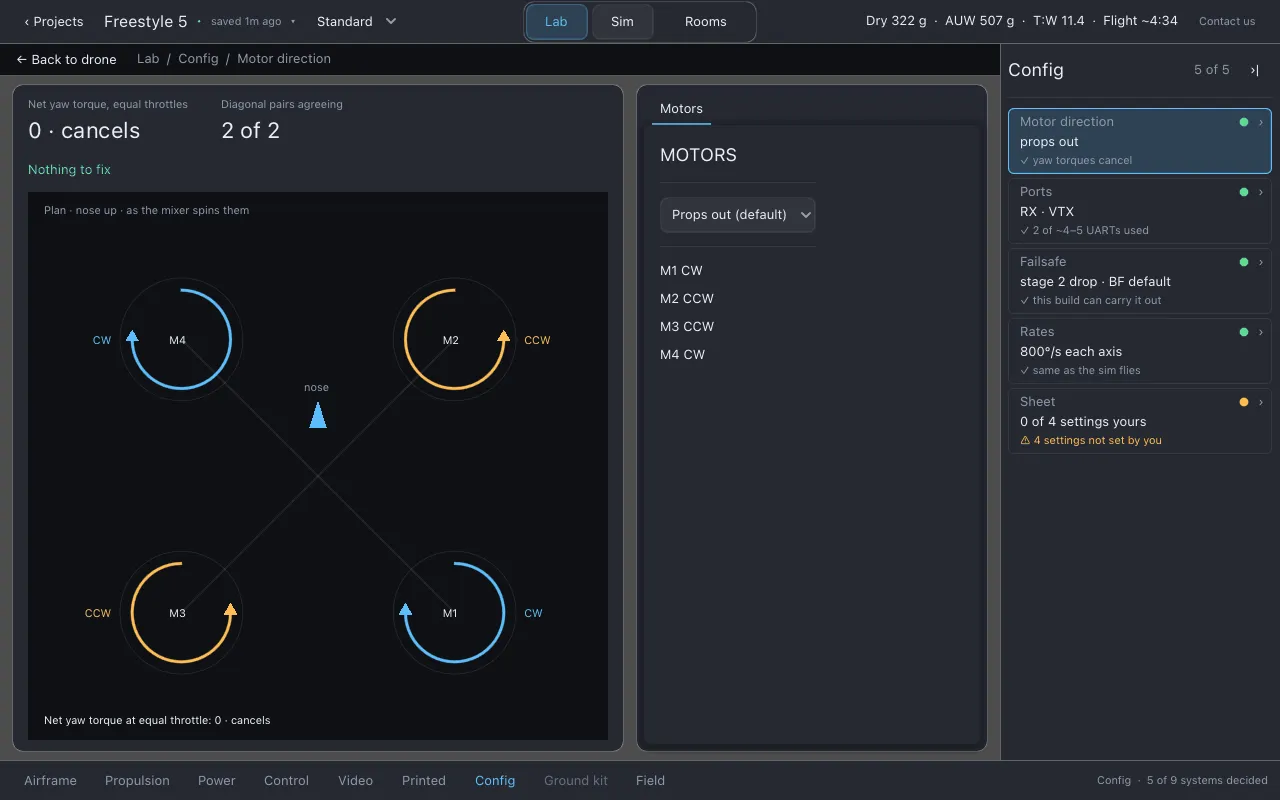
Section titled “Motor direction”Which way each motor spins.
- The choice: Props out (default), Props in, or Per-motor map.
- The map is drawn on the drone in the view, so you can see it the way you will see the real aircraft. The sheet lists the same four facts in words, for copying into a configurator.
- The page shows the net yaw torque with equal throttles (it should cancel to 0) and how many diagonal pairs agree, beside a plan drawing of the motors.
What wants a serial port (UART) on the flight controller, and how many the board has.
- Lothal starts from a typical count for the board’s class, which is a guess. Type your board’s real UART count in Your board’s UART count (from its product page). 0 goes back to the class guess.
- The page shows Parts wanting a UART and Board’s UARTs, marked as yours or as the guess.
Failsafe
Section titled “Failsafe”What the drone does when the radio link drops. Lothal cannot show it happening, because there is no radio link to lose in the sim, but it can tell you when your choice needs something this build does not have.
- Stage 2: Drop — cut the motors, Land — descend under power, or GPS rescue — fly home. The line under it says where the setting came from.
- Bidirectional DShot: sends RPM back from the ESC down the signal wire, for RPM filtering. Your ESC’s protocol decides whether it can.
- If it won’t arm: the reasons a flight controller refuses to arm that only show up on the bench (the gyro did not calibrate, the board is not level, the throttle is up, the receiver is not bound, the arm switch was on at power-up), in the configurator’s own words. Lothal cannot predict these from parts, so it lists them rather than checking them.
How fast full stick turns the drone. This is a pilot’s number, the same on every drone you fly, so it lives here rather than with the tune.
- Rate in degrees per second, and Expo.
- The page shows Full stick, this aircraft against Full stick, the sim. Lothal’s sim flies at its own fixed full-stick rate. If your real drone is set much slower or faster, it will feel different from what you practised on, and the page says so.
- Expo is stored and printed on the sheet, but not flown: the sim’s stick is linear.
- Modes: Lothal flies two modes, angle and acro, and switches between them with a key. Which mode sits on which switch is radio setup that Lothal does not model.
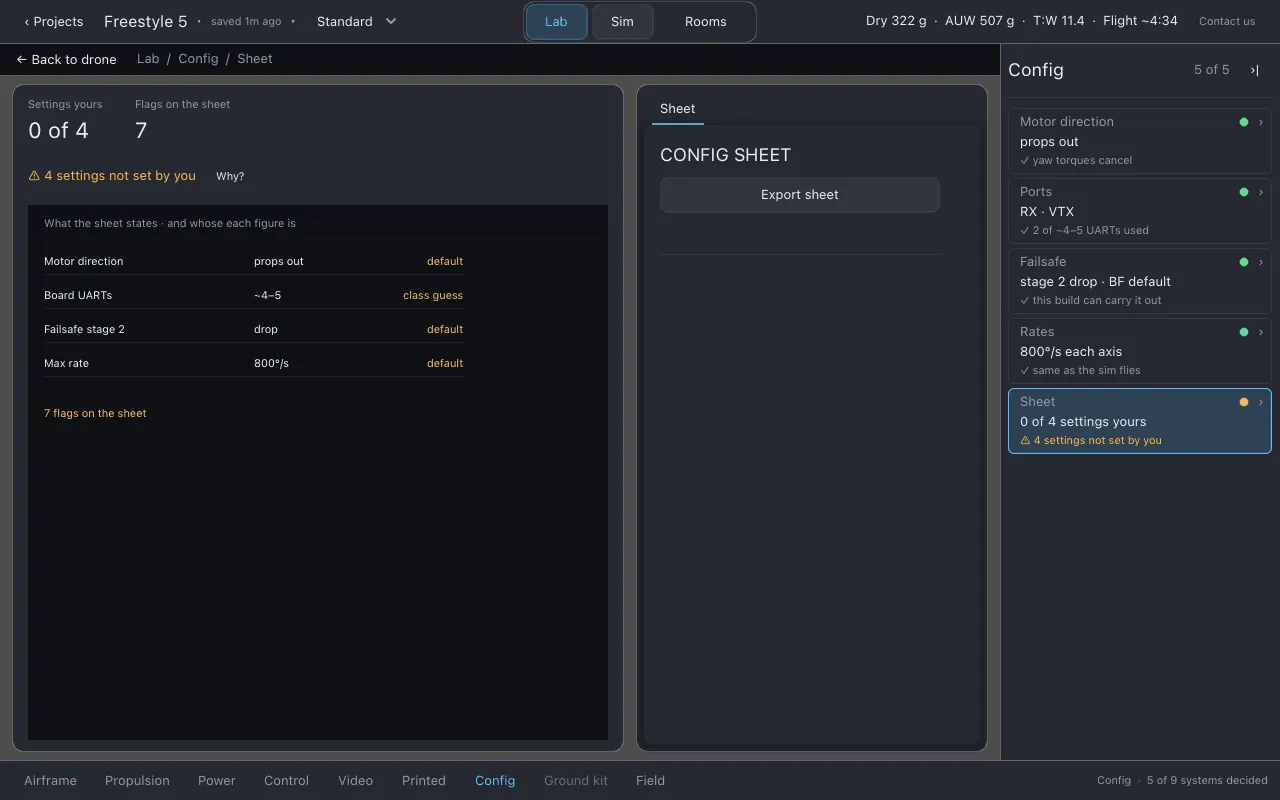
The config sheet is the one thing that leaves this section: a Markdown file to open on your phone or laptop at the bench, with the configurator open.
- The preview on the page is the sheet, word for word.
- Export sheet writes it to the
sheetsfolder asYYYY-MM-DD-<drone name>.md, says where, and opens the folder. Each day’s sheet is a separate file, so yesterday’s survives today’s changes. - The page shows Settings yours (how many settings you chose, out of how many) and Flags on the sheet (how many warnings it carries).
The sheet lists what to set and what to check, with every figure’s source. It carries this build’s warnings, because a sheet without them would be only half useful. It says plainly that Lothal has not run any of these settings, that the tune is a starting point with roughly the right ratio between axes rather than numbers to trust, and that it recommends no filter settings. It does not give your ESC’s motor order.
(The Export build sheet… entry in the project menu is greyed in this version. Use this sheet.)
What to watch for
Section titled “What to watch for”- Motor direction:
motor directions cannot fly,ESC lacks bidirectional DShot. - Ports: more parts want a UART than the board has.
- Failsafe:
GPS rescue with no GPS. - Sheet: settings the sheet quotes that are defaults rather than yours.
Honest limits
Section titled “Honest limits”- Nothing here is simulated as a switch or a radio link.
- The UART count is a class guess until you enter your board’s.
- No filter settings are recommended.
Related
Section titled “Related”Documentation licensed underCC BY 4.0. Lothal itself is GPL-3.0-or-later.Report a problem.Roadmap.