
Control
Control is how the drone knows what to do and does it: the flight controller that runs the loop, the receiver that brings in your commands, and the tune that turns them into motor outputs.
Where it is
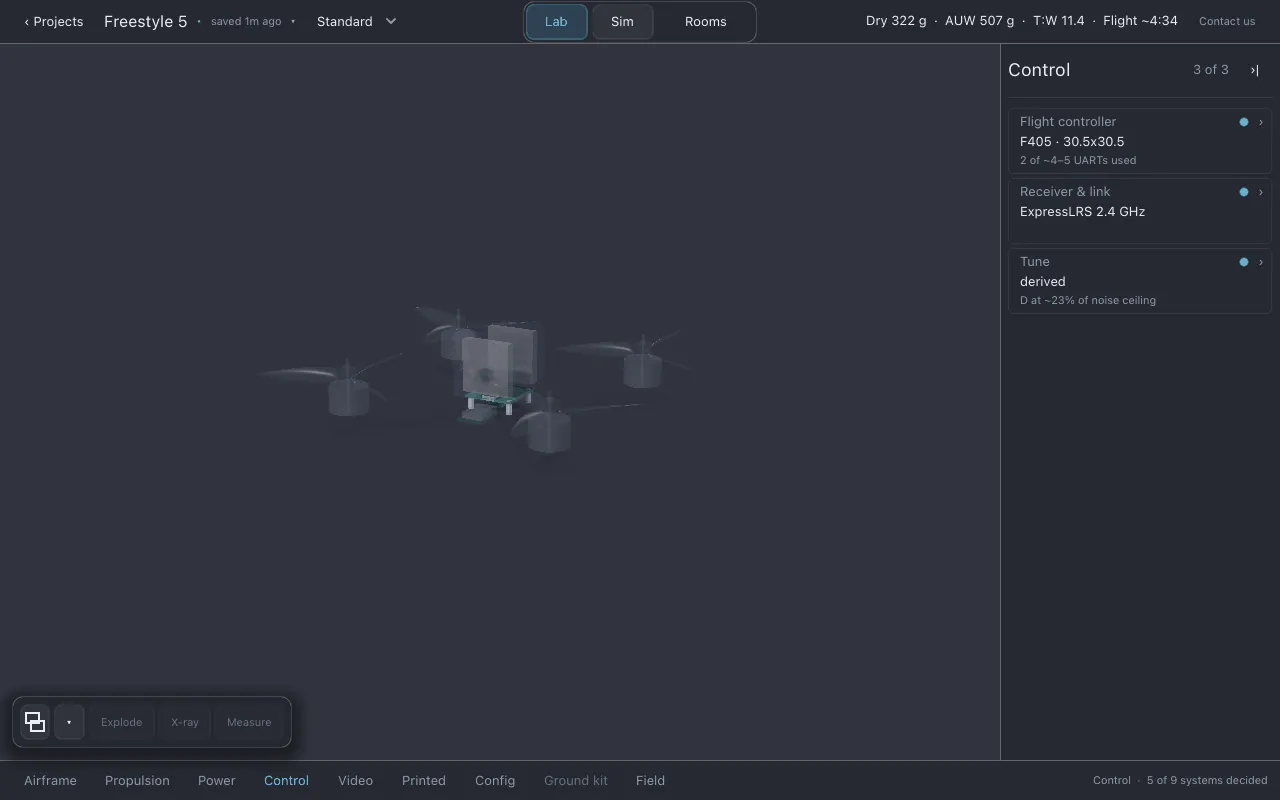
Section titled “Where it is”Click Control in the section row. The list shows Flight controller, Receiver & link and Tune.
Flight controller
Section titled “Flight controller”- Line 2: processor and mounting pattern, for example
F7 · 30.5x30.5. - Line 3: serial ports (UARTs) the fitted parts want against how many the board has, in the
form
N of ~N UARTs used. A~means the board’s count is a typical figure for its class, not its own published number; you can enter the real one in Config → Ports. - Choosing a board: click line 2 to open the part finder.
- The page shows Serial ports used and Gyro noise at the motors, with a drawing of the stack and the board’s ports.
The FC sheet splits in two. The top half is the board: processor, mass, mount, loop rate, gyro sample rate, filter delay, noise floor, calibration drift. The bottom half is what that sensor costs you: Noise at the motors, which is the gyro’s noise after it passes through the D gain actually flying.
Receiver & link
Section titled “Receiver & link”This row covers the drone’s connection to the outside world: the receiver (where your commands arrive), the GPS, and the buzzer (which helps you find a lost drone).
- Line 2: the receiver fitted, or
none. - Line 3: left empty on purpose. No receiver in the catalog publishes its output power or sensitivity, so Lothal does not invent a range.
- Fitting parts: the page shows the Link rail above its sheet, with one bay each for receiver, GPS and buzzer. Choose a part in each bay, or none.
- The page shows Link mass and UARTs it takes, and the Link sheet: receiver, GPS (with the mast height, if it stands on a mast), buzzer (with whether it has its own power), and the link total.
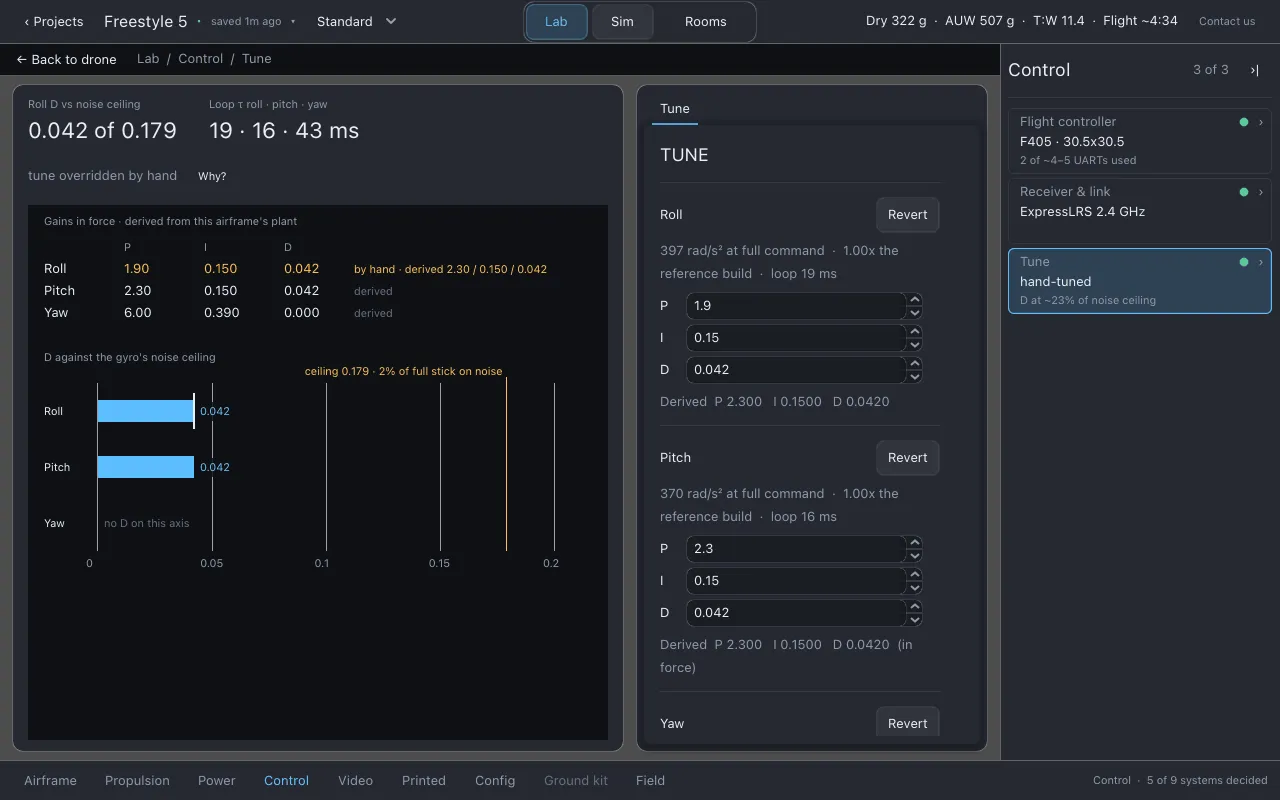
Lothal derives a rate PID tune for each airframe from how fast that airframe can accelerate on each axis. A light whoop and a heavy long-range drone get very different gains, because they are very different aircraft.
- Line 2:
derived, orhand-tunedonce you have changed any gain. - Line 3: the roll D gain as a share of the ceiling the gyro’s noise allows, in the form
D at ~NN% of noise ceiling. - The page shows Roll D vs noise ceiling and Loop τ roll · pitch · yaw (how quickly each axis settles), and the Tune sheet.
On the Tune sheet, each axis (roll, pitch, yaw) has:
- a line saying what the aircraft is on that axis (its rate at full command and how it compares with the reference build);
- P, I and D boxes you can change;
- the Derived values beside them, so you can see what you changed and by how much;
- Revert, which puts that axis back to the derived tune.
Reset every axis to the derived tune puts all three back.
The tune you set here is the one Sim flies. Lothal flies two modes, angle and acro; see Config → Rates for what that means for your radio.
What to watch for
Section titled “What to watch for”- Flight controller: stack mount mismatches, the flight controller’s mass against the
budget,
custom FC — unchecked. - Receiver & link:
no receiver fitted,buzzer dies with the pack. - Tune:
tune overridden by hand,D limited by gyro noise.
Honest limits
Section titled “Honest limits”- The noise figure is an upper bound: no D-term low-pass filter is modelled, so the
~on the Tune row is deliberate. - Receiver range is not estimated.
- The tune is derived for Lothal’s own flight controller model. It is a starting point for a real aircraft, not settings to copy into one. The config sheet says the same.
Related
Section titled “Related”- Config: ports, failsafe and rates for the real flight controller
- Flying in Sim
- Physics is the source of truth
Documentation licensed underCC BY 4.0. Lothal itself is GPL-3.0-or-later.Report a problem.Roadmap.