
Propulsion
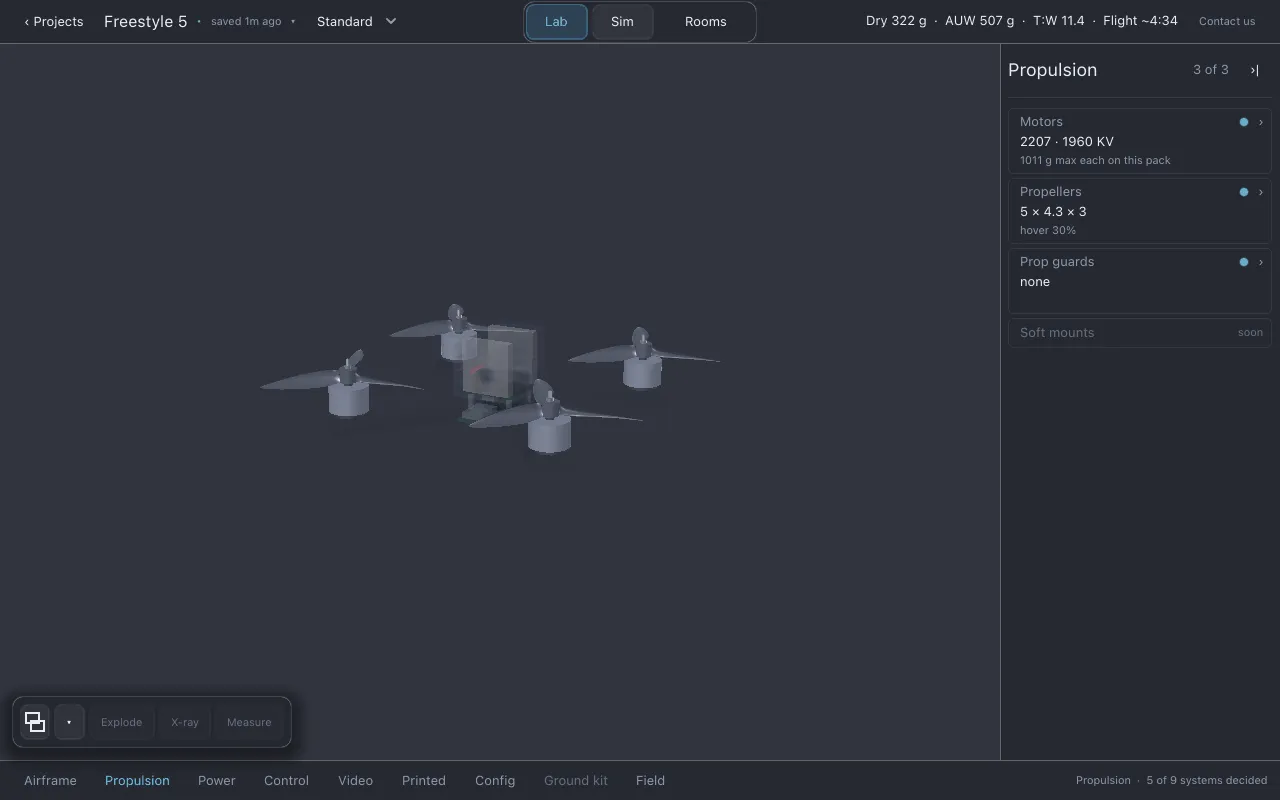
Propulsion is what makes the drone lift: the four motors, the propellers on them, and any guards around the propellers.
Where it is
Section titled “Where it is”Click Propulsion in the section row. The list shows Motors, Propellers, Prop guards and Soft mounts (soon).
Motors
Section titled “Motors”- Line 2: stator size and KV, for example
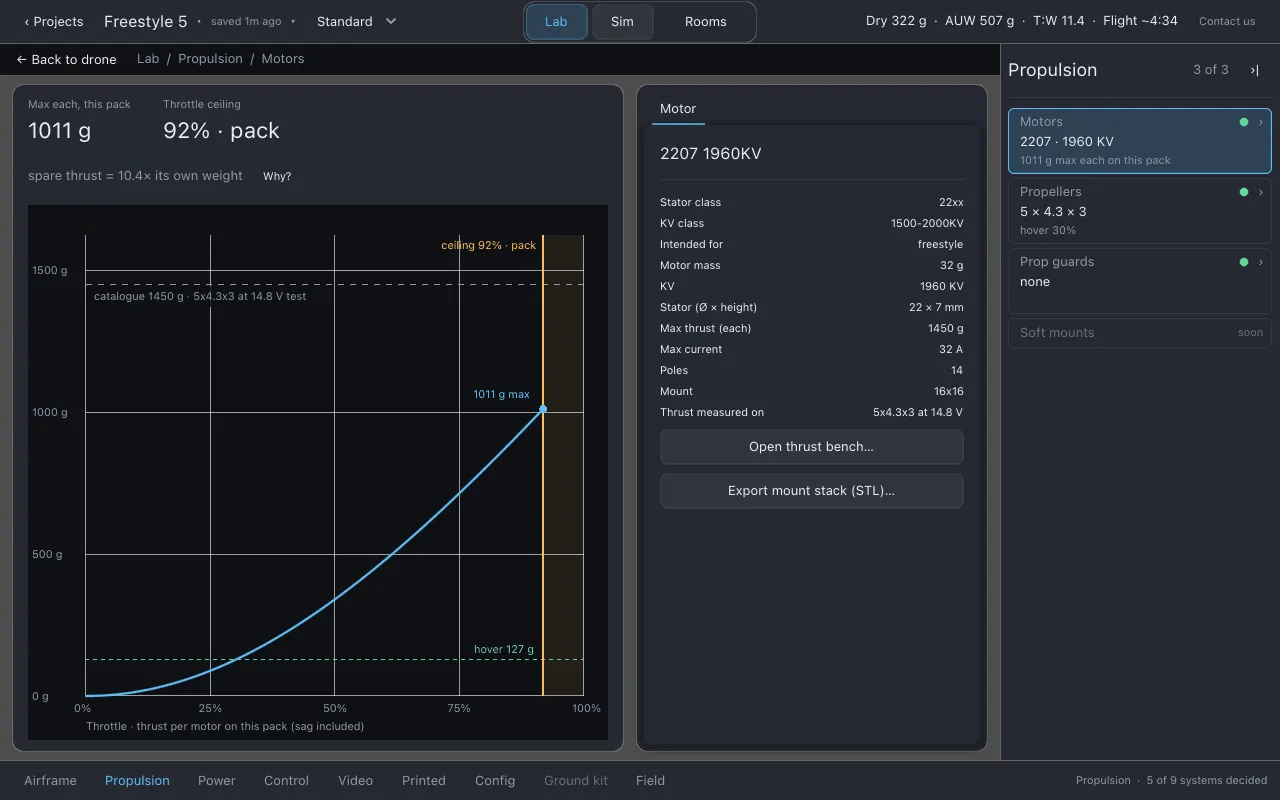
2207 · 1960 KV. (2207 means a stator 22 mm across and 7 mm tall. KV is how many RPM the motor turns per volt with no load.) - Line 3: the most thrust each motor makes on the pack you have fitted, for example
1011 g max each on this pack. This includes the pack’s voltage sag and whatever limits the current first. It is usually lower than the catalog’s “max thrust”, which was measured on a test stand with a particular prop and voltage. - Choosing motors: click line 2 to open the part finder.
- The page shows two numbers, Max each, this pack and Throttle ceiling (the throttle at which something stops the motor getting more current, and what that is). The chart plots thrust per motor against throttle on this pack, with the catalog figure and the hover line marked.
The Motor sheet lists the motor’s published figures: stator class, KV class, intended use, mass, KV, stator size, max thrust, max current, poles, mount pattern, and Thrust measured on: the propeller and voltage the thrust figure came from. If you fit a very different propeller, this row shows that you are no longer at the test condition.
On the sheet:
- Open thrust bench… puts this motor and propeller on a thrust stand. See Benches.
- Export mount stack (STL)… exports the motor mount stack as an STL for checking fit.
Propellers
Section titled “Propellers”- Line 2: diameter × pitch × blades, in inches, for example
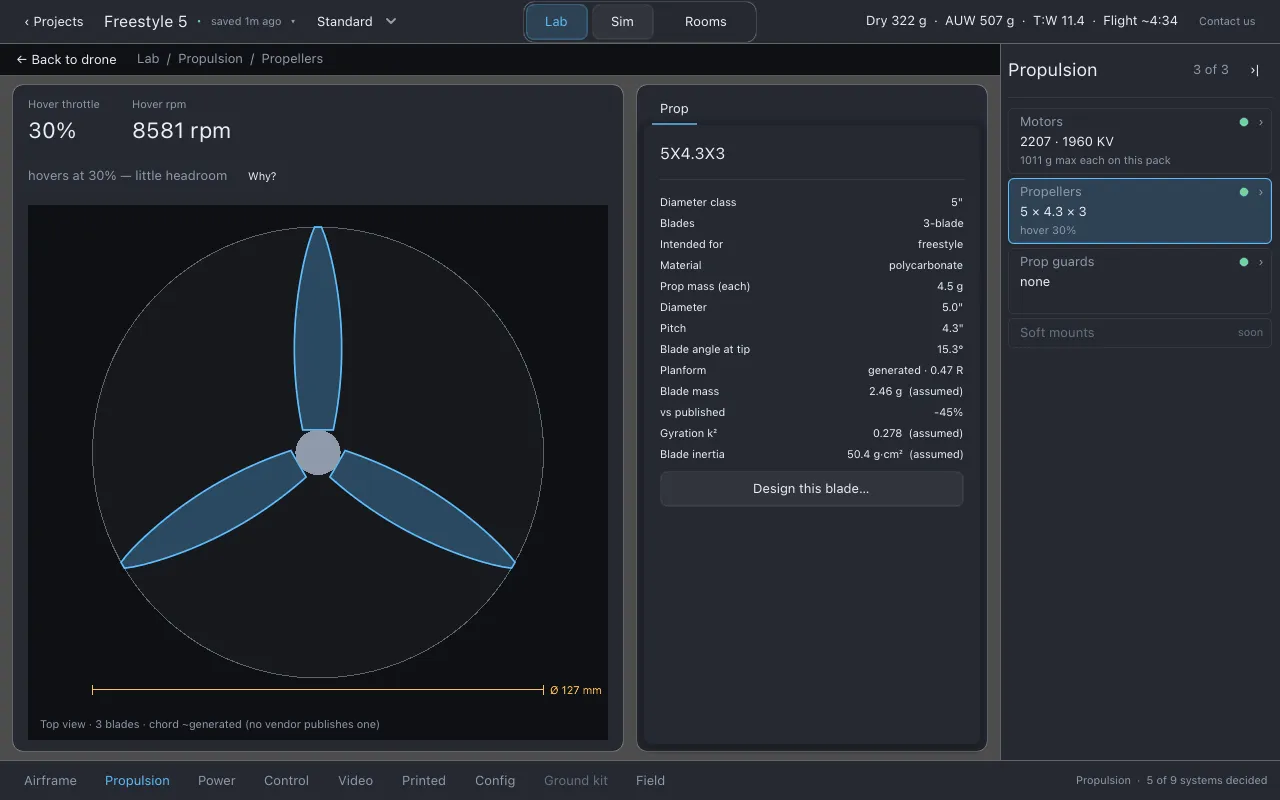
5 × 4.3 × 3. - Line 3: hover throttle, for example
hover 30%: how much of full throttle the drone needs to hang in the air. Empty if the drone cannot hover. - Choosing propellers: click line 2, or switch the finder to Prop.
- The page shows Hover throttle and Hover rpm, and the Prop sheet: diameter class, blades, intended use, material, mass, diameter, pitch, the blade angle at the tip, and the blade’s planform, mass and inertia.
Diameter matters most. Thrust grows with the fourth power of diameter, so a small change in diameter is a large change in thrust.
Design this blade… on the Prop sheet opens the blade designer. See below.
Prop guards
Section titled “Prop guards”- Line 2: the guard fitted, or
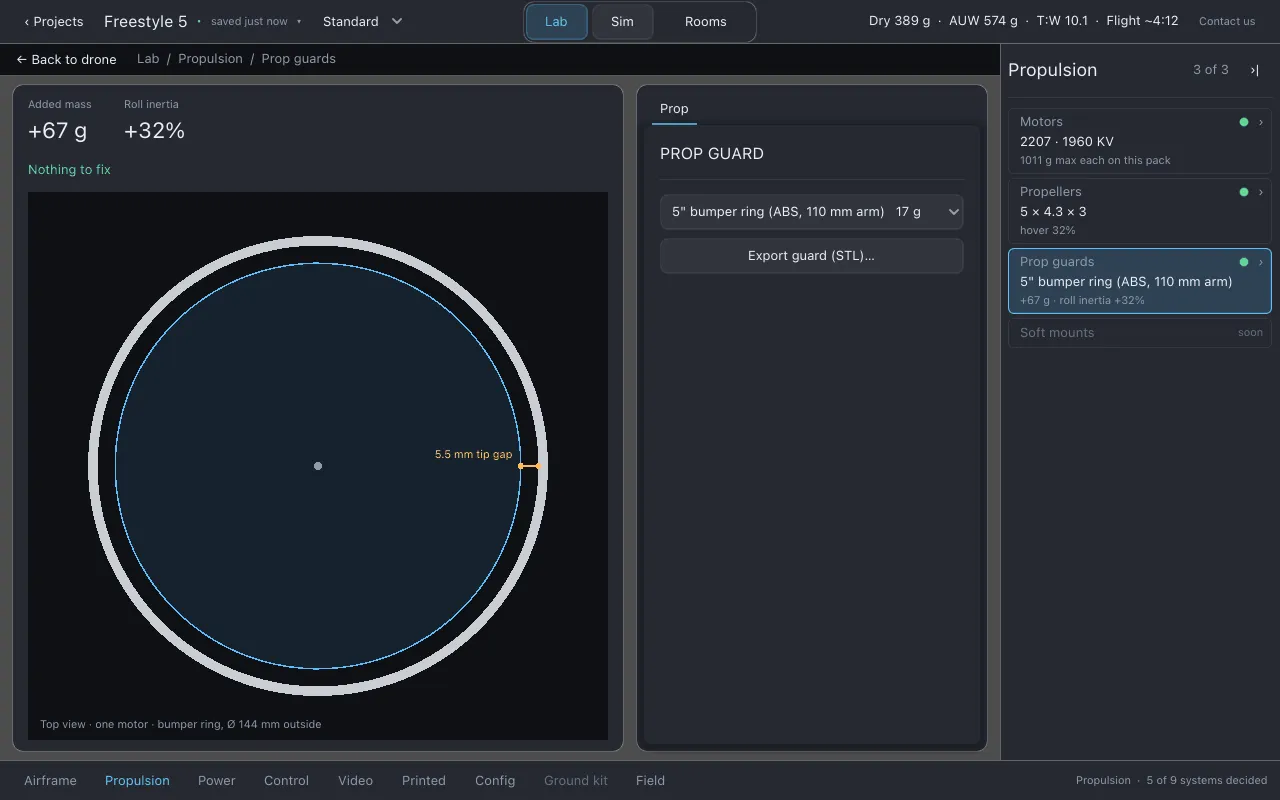
none. - Line 3: what the guards add, for example
+N g · roll inertia +N%. Guards add mass far out from the centre, so they make the drone slower to roll by more than their weight suggests. - Choosing a guard: on the page, pick one from the Prop guard list, or Not fitted.
- Export guard (STL)… exports one guard ring as a printable solid. Print four.
Soft mounts (soon)
Section titled “Soft mounts (soon)”Greyed. Soft mounts as a part are not modelled yet. (The Motor soft mount slider on Layout & fit sets a pad height for fit only.)
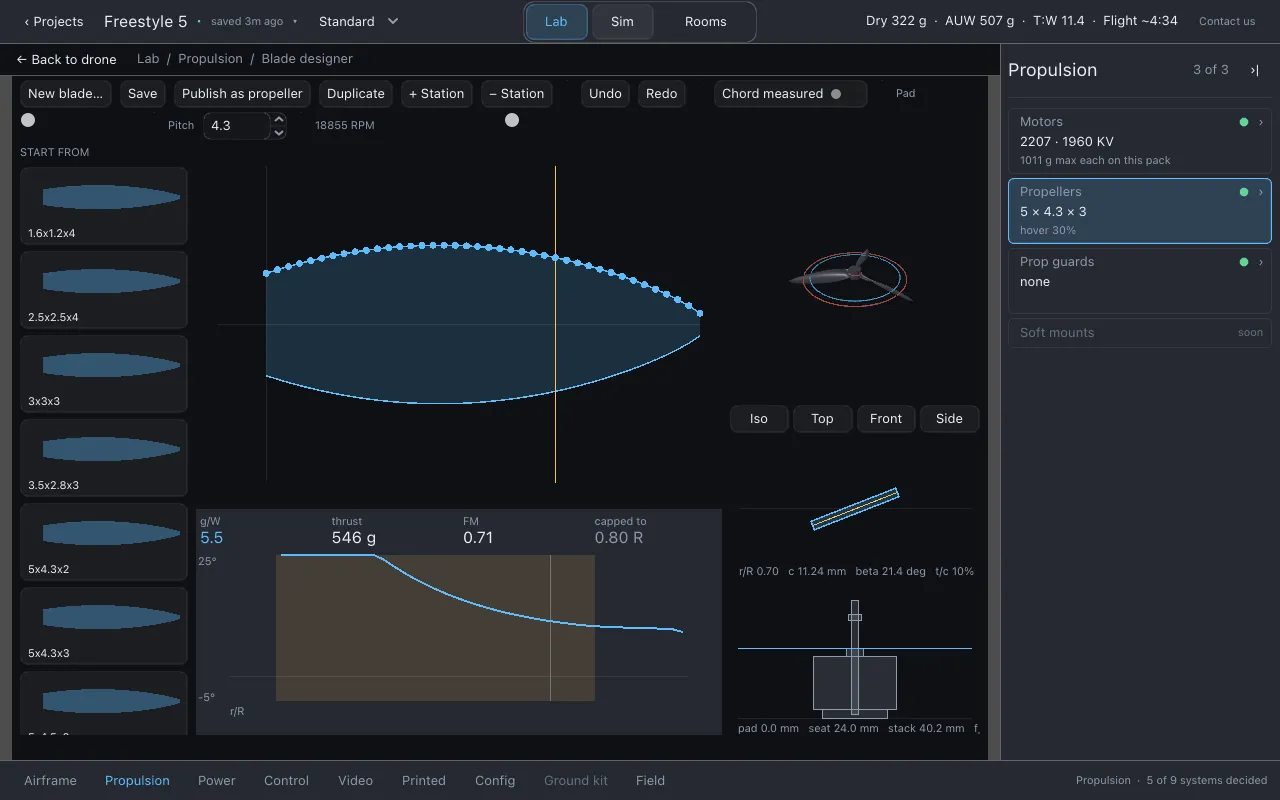
The blade designer
Section titled “The blade designer”Open it with Design this blade… on the Prop sheet. Close it with Close blade designer in the top bar.
The designer is for the question the catalog line cannot answer: how much blade there is, where, and at what angle.
- Left, the shelf. Start from: the catalog’s blades, drawn as their outlines. Your blades: blades you have saved.
- The planform. The blade’s outline from root to tip. Drag a station to change the chord there.
- The section under the caret, and the mount profile (the stack the blade bolts to).
- Blade aero. Four figures at the design RPM, g/W (hover efficiency, which becomes flight time), thrust, FM (figure of merit, how close the blade is to the physical limit for its disc) and capped to (how far out along the blade the lift limit is reached), with a chart of angle of attack along the blade. If the model cannot solve the rotor at that speed it says so rather than guessing.
| Control | Does |
|---|---|
| New blade… | Starts a blade from name, diameter, pitch, blade count and material. |
| Save | Writes this blade to your own library. |
| Publish as propeller | Makes this blade a propeller you can fit. The status line says whether the aircraft flies the published shape. |
| Duplicate | Copies the blade, so a preset stays as it shipped. |
| + Station, − Station | Add a control point, or remove the one nearest the caret. |
| Undo, Redo | Ctrl+Z and Ctrl+Shift+Z (Cmd on macOS). |
| Chord measured | On: this outline is authored, and figures from it drop the “blade chord assumed” caveat. Off: it is the generator’s guess. |
| Pad | The soft-mount pad height under the motor. |
| Pitch | The blade’s pitch. |
What to watch for
Section titled “What to watch for”- Motors:
cannot hover, a climb figure, the current limit (when the motors are what binds),motor mountmismatches,custom motor — unchecked, and checks on implausible figures (KV implausible for the stator,thrust figures implausible). - Propellers: propeller clearance to the frame,
props overlap each other, how much a propeller unloads in forward flight, manoeuvre headroom,~ extrapolated past thrust table,custom prop — unchecked,blade cannot be read.
When the pack runs out of current before the motors do, that warning goes on Battery, not here.
Honest limits
Section titled “Honest limits”- Every thrust figure is fitted from manufacturers’ thrust tables. Beyond the conditions a table covers, the figure is extrapolated and says so.
- A custom motor’s thrust figure is whatever you typed; Lothal can only check that it is in a plausible range.
- A catalog propeller’s blade outline is generated from diameter, pitch and blade count unless someone has drawn and measured it.
- Soft mounts are not modelled as a part.
Related
Section titled “Related”- Benches for the thrust stand
- Overlays: thrust along the blade, how fast the motor arrives, what the props sweep
- Physics is the source of truth
Documentation licensed underCC BY 4.0. Lothal itself is GPL-3.0-or-later.Report a problem.Roadmap.